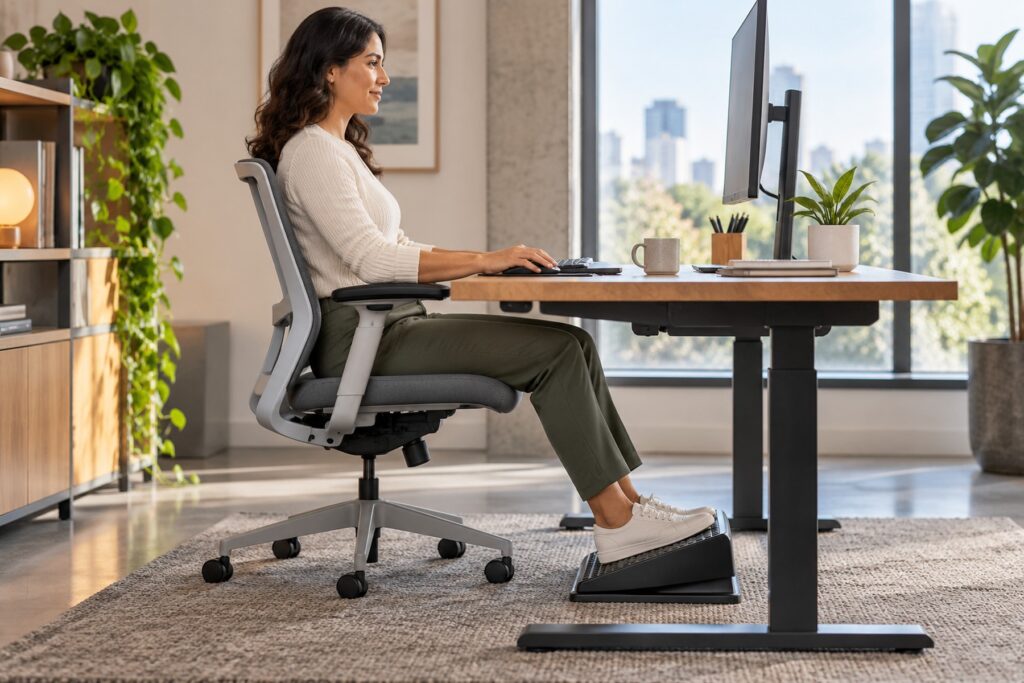
Yes, a footrest can be useful under a desk when the desk height requires you to raise the chair and your feet no longer rest comfortably on the floor. It should support a well-fitted workstation, not compensate for a chair or desk that can be adjusted properly.
Who is most likely to benefit from a footrest?
A footrest is most useful when the working surface determines the chair height. Once the shoulders and forearms are comfortable at the keyboard, some people—especially shorter users—find that their feet dangle or only the toes reach the floor.
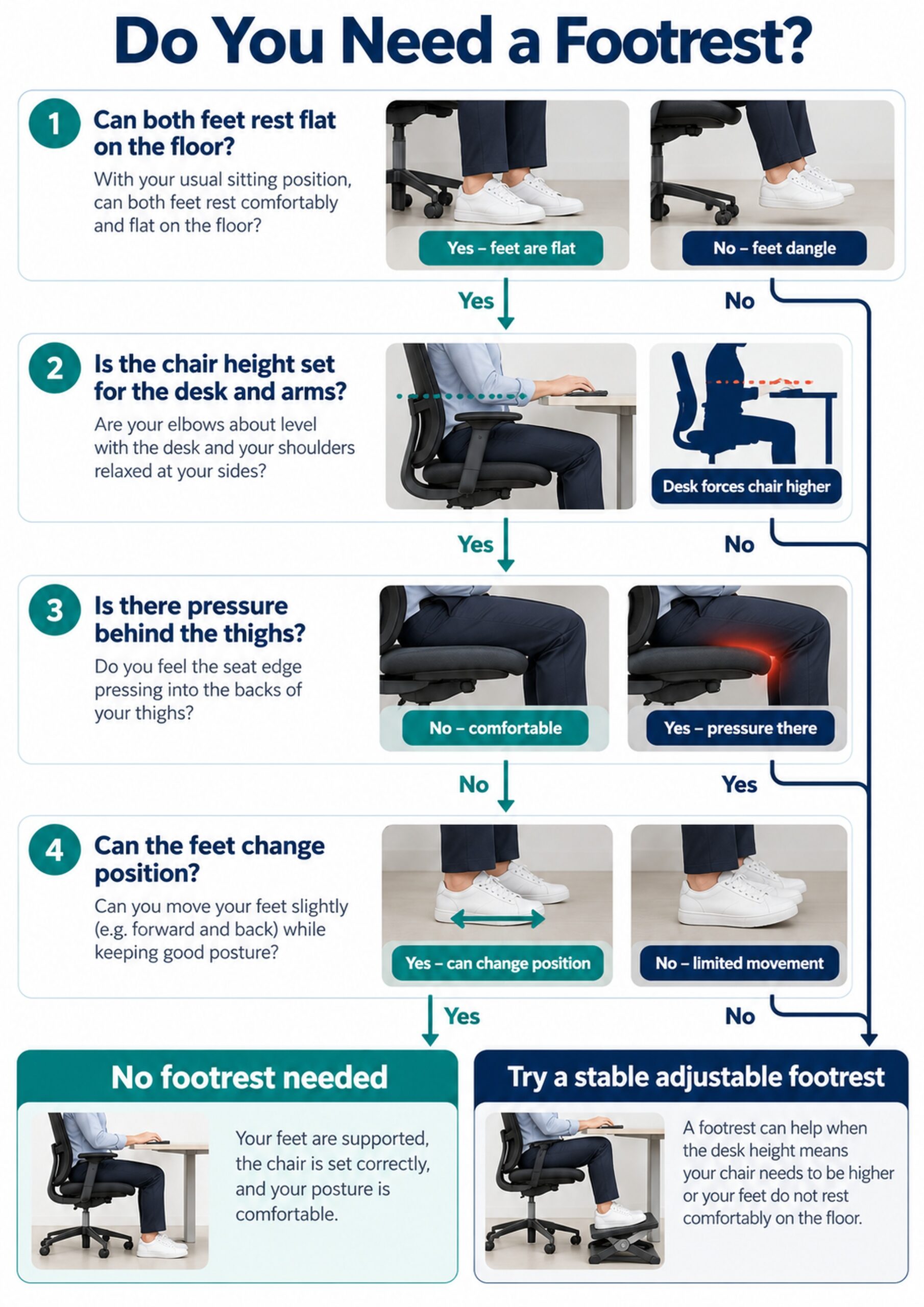
- Your feet do not rest fully on the floor after the chair is adjusted for the desk.
- The front edge of the seat presses into the backs of your thighs.
- You slide forward to reach the floor and lose back support.
- You share a fixed-height desk with people of different heights.
Adjust the chair and desk before adding equipment
Start with the relationship between the chair, desk, keyboard, and monitor. The OSHA computer workstation chair guidance recommends supporting the feet on the floor or on a footrest while keeping the chair suitable for the work surface.
- Raise or lower the chair so the elbows can work near the body without shrugging.
- Use the backrest rather than sitting at the front edge.
- Check that the seat edge does not press firmly behind the knees.
- If an adjustable desk can come down to you, lower it before raising the chair.
Signs that your feet need more support
Posture varies throughout the day, so the aim is comfortable support with room to move. A footrest may help when unsupported feet repeatedly change the way you sit.
- Feet dangling or resting only on the toes
- Frequent forward sliding in the chair
- Pressure or numbness near the back of the thighs
- Difficulty keeping the pelvis against the backrest
| What you notice | Likely first adjustment | When a footrest helps |
|---|---|---|
| Feet flat and comfortable | Keep the current setup | Usually unnecessary |
| Desk forces the chair higher | Set chair for arm comfort | Supports the feet at the new height |
| Seat edge presses behind thighs | Check seat depth and chair height | May reduce unsupported leg weight |
| Desk height is adjustable | Lower desk and chair together | Use only if feet still lack support |
How to choose a practical footrest
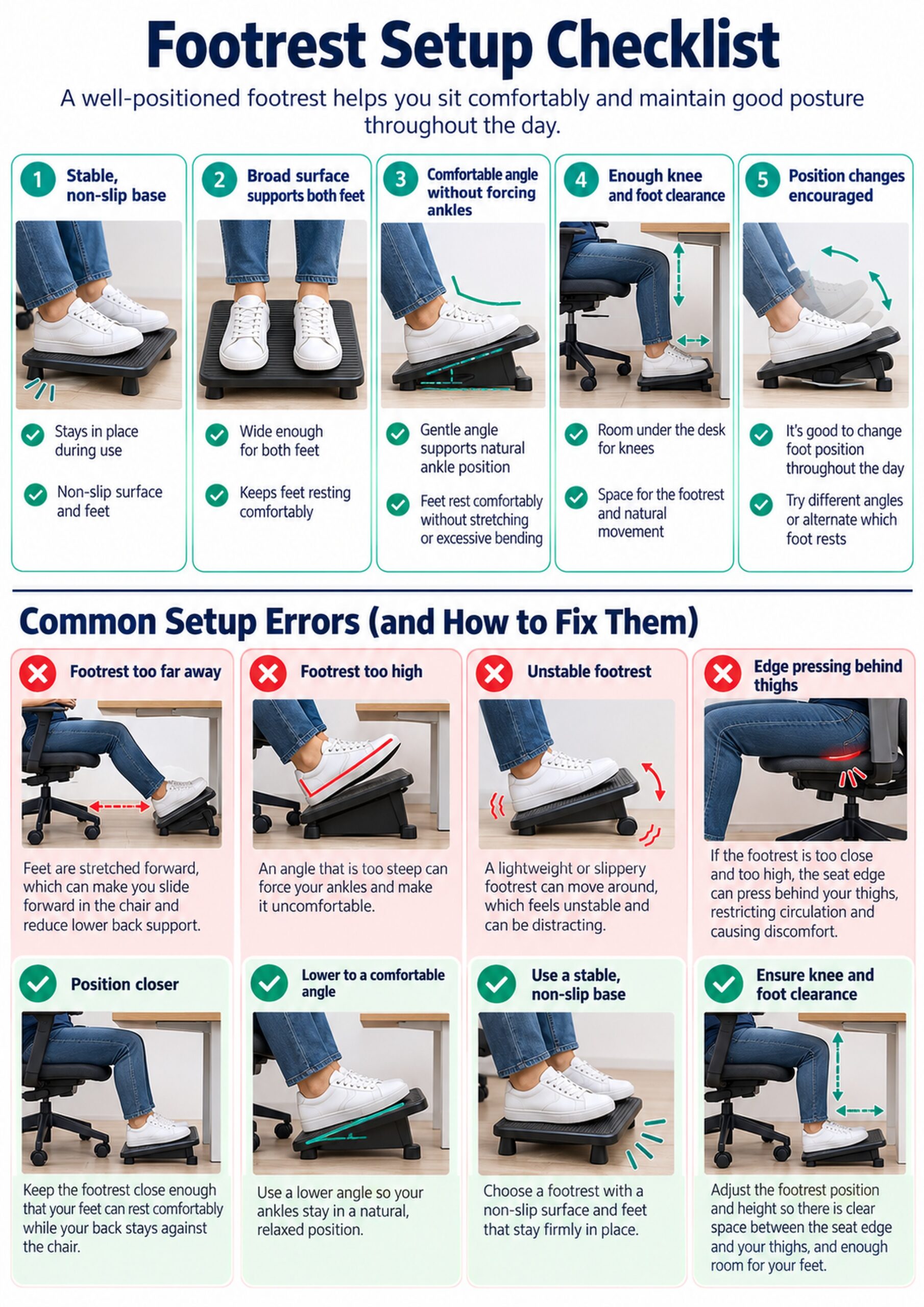
The best footrest is stable, fits the available space, and lets both feet rest without forcing the ankles into an extreme position. More features are not automatically better.
- A broad platform that supports both feet
- A non-slip base and non-slip top surface
- Enough height adjustment for the user and desk
- A comfortable angle or gentle rocking option
- Clearance so the knees do not contact the desk
How to set up a footrest under your desk
Set the chair first, then bring the support to the feet. The OSHA workstation position guide emphasizes supported feet and enough space to change position.
- Place the platform close enough that you do not reach forward with the legs.
- Rest the full feet on it rather than only the heels or toes.
- Choose a height that avoids firm pressure from the seat edge.
- Keep enough room to move the feet and change position.
When a footrest is unnecessary
If both feet already rest comfortably on the floor while the back, shoulders, and arms are supported, adding a footrest may simply reduce legroom. It may also encourage a fixed posture if the user feels obliged to keep both feet on it.
- Your desk and chair adjust together to fit you.
- Your feet are fully supported without reaching.
- There is no uncomfortable pressure at the seat edge.
- You can change leg position easily.
Safe temporary alternatives
A firm box or stack of large books can be a short-term option while testing the height you need. NIOSH includes a stable box or book as a possible foot support in its working-from-home ergonomics guidance.
- Choose a broad, rigid surface that will not collapse.
- Prevent sliding on smooth flooring.
- Avoid small objects that concentrate pressure under one part of the foot.
- Replace an unstable improvised support rather than adapting around it.
Movement matters more than one perfect posture
A footrest supports a position; it does not remove the need to move. Change posture, stand, and walk regularly according to your comfort and work demands.
- Alternate between feet on the support and another comfortable position.
- Stand for short tasks when practical.
- Walk during natural breaks.
- Keep frequently used items within easy reach to avoid repeated twisting.
Simple desk-side mobility exercises
These gentle movements can reduce the sense of stiffness from prolonged sitting. Stop if a movement causes pain, dizziness, or other concerning symptoms.
- Ankle pumps: alternate lifting the toes and heels while keeping the feet supported.
- Knee extensions: slowly straighten one knee, then return without forcing the range.
- Seated marching: lift one foot at a time while keeping the trunk relaxed.
- Standing calf raises: hold the desk lightly and rise onto the toes if balance is safe.
Common problems and quick fixes
A useful footrest should disappear into the workday rather than demand constant correction. If it creates a new pressure point or restricts movement, change its position or height.
- Too far away: bring it closer so the back remains supported.
- Too high: lower it if the knees are crowded or the thighs lift off the seat.
- Too steep: reduce the angle if the ankles feel held in one position.
- Sliding: use a stable base or a non-slip mat.
When to seek an individual assessment
Persistent pain, numbness, swelling, weakness, or symptoms that continue away from the desk deserve individual evaluation. A clinician or ergonomics professional can assess the person, chair, desk, work tasks, and symptom pattern together.
- Symptoms are worsening despite reasonable workstation changes.
- One leg consistently needs a very different position.
- You have a recent injury, surgery, or neurological condition.
- The workstation must accommodate a disability or specialized equipment.
Conclusion
A footrest is useful when it provides the support the floor cannot provide after the chair is adjusted for the desk. Choose a stable platform, keep it close, allow movement, and correct the wider workstation setup rather than relying on the footrest alone.
Frequently asked questions
Do I need a footrest if my feet already reach the floor?
Usually not. If your feet are fully supported, your chair fits, and you can change position comfortably, a footrest is optional.
Should a footrest be flat or angled?
Either can work. Choose an angle that feels comfortable at the ankles and does not make the feet slide or hold them rigidly.
How high should a desk footrest be?
It should fill the gap between your feet and the floor after the chair is set for the desk, without crowding the knees or lifting the thighs.
Can I use a box instead of a footrest?
A broad, stable box can be a temporary support. It should not collapse, rock, or slide while you work.
Can a footrest fix back pain?
A footrest may improve support, but back pain has many possible contributors. Persistent or worsening symptoms need an individual assessment.
Should both feet stay on the footrest all day?
No. Comfortable variation and regular movement are preferable to holding one position throughout the day.
Can a footrest reduce pressure behind the thighs?
It may help when unsupported feet allow the seat edge to press into the thighs, but seat depth and chair height also need checking.
Is a rocking footrest better?
A rocking model can encourage ankle movement for some users, but it must remain controlled and stable enough for the task.
Where should the footrest sit under the desk?
Place it close enough that the feet rest fully without reaching forward, while preserving knee and leg clearance.
Does a standing desk remove the need for a footrest?
Not necessarily. A seated setup may still need foot support, while standing work may benefit from a separate low support for occasional position changes.